Half the harvest rots or goes to waste because you caught it too late.
AI garden copilot for AndroidPre-launch
Scan a plant.
Know exactly
what to do.
MaxGrow AI turns a photo of the crop you're growing into pruning cuts, problem checks and timing — so you harvest more with less effort and less waste.
Android 8.0 and up · Free to start · Launching soon

The problem
Gardening advice shouldn't feel like guesswork.
You buy the seedlings, build the bed, water every evening — and still lose plants to blight, over-pruning and “what even is this?”. Most advice is generic, late or written for someone else's climate.
Pruning feels like a guess — one wrong cut can set a tomato plant back for weeks.
Reference books and forums give generic answers for someone else's garden.
How it works
From photo to plan in three steps.
-
01
Snap a photo
Point your camera at one plant you have registered. One photo, one scan.
-
02
Get the guidance
See pruning targets for the crop you planted, or run a health scan for problems like blight, mildew or a nutrient shortage — each with a clear next step.
-
03
Act with precision
Follow the pruning markers, cut angles and checklist, then let the forecast tell you when to act — or wait.
No account required to start. Your garden, history and almanac stay on your phone and work offline. A scan uploads when you're online, with its metadata stripped.
Scan & prune
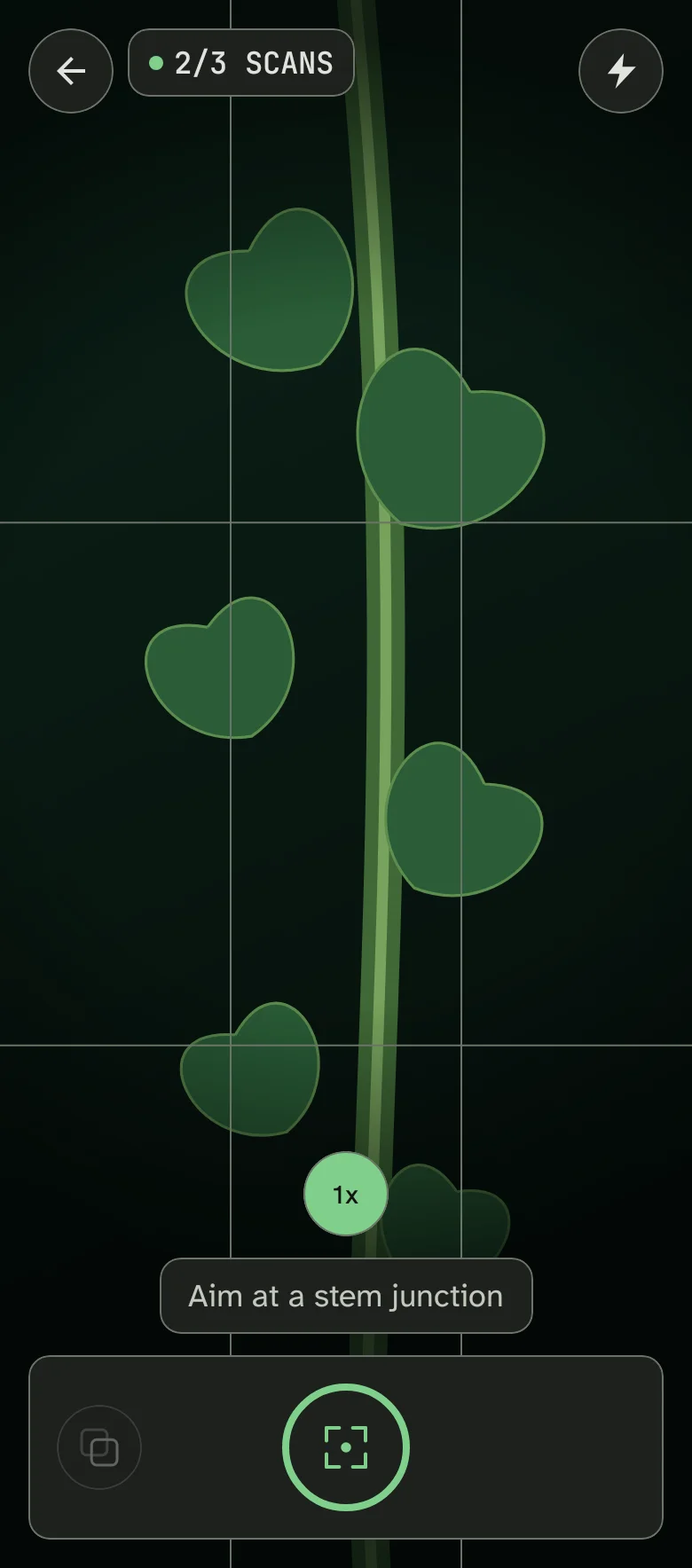
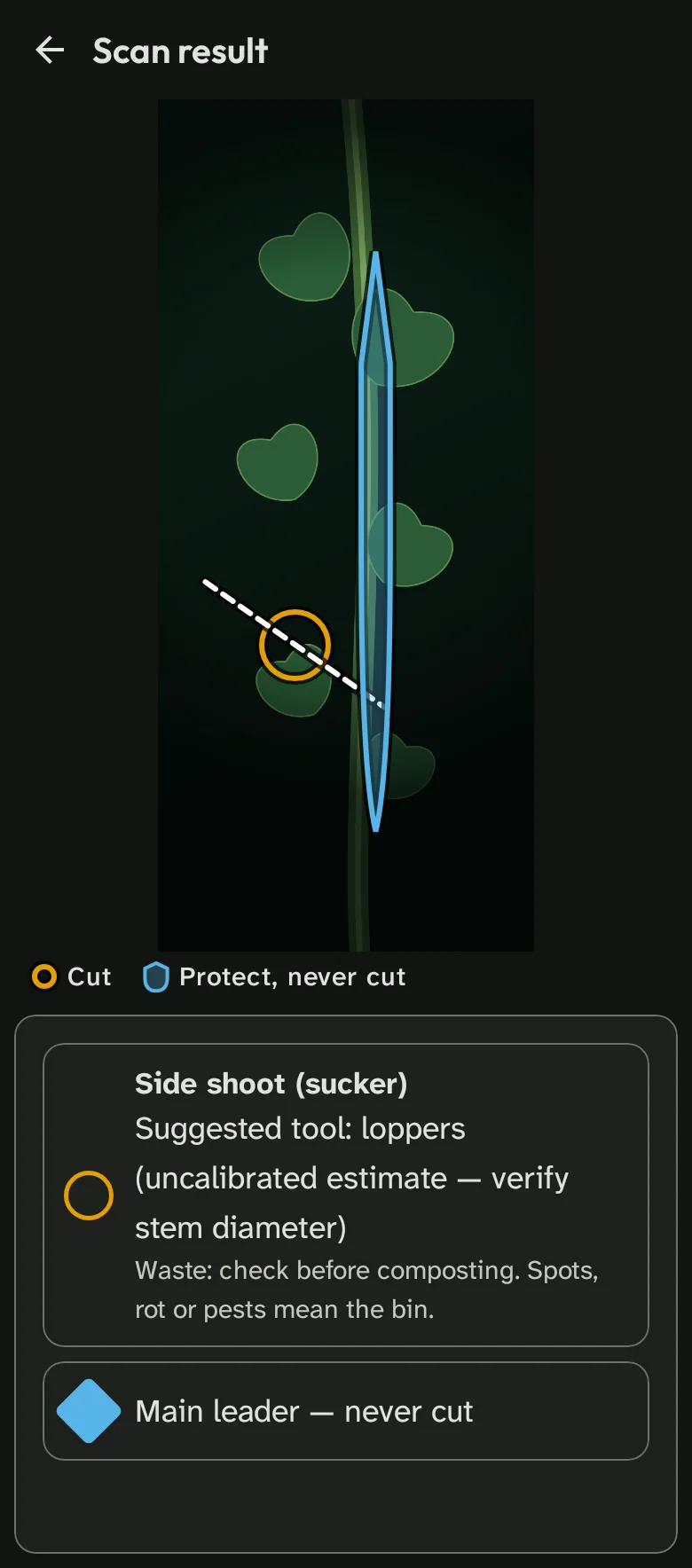
The cut marked, with the angle to use.
Overlays show you where to cut, at the suggested cut angle, which structures never to touch, and when to thin fruit. Tick the checklist and watch each step turn from amber to green.
- Pruning targets for the crop you planted
- Protected “never cut” structures flagged
- Fruit thinning + a checklist that turns amber→green
One photo, one scan. No 3D reconstruction, no invented precision. A scan uploads when you're online, with its metadata stripped.
Today's prunings
- Remove basal shoot
- Thin truss to 4 fruit
- Leave main leader
- Check the wound in 4 days
Plant doctor
Name the problem. Then fix it.
From Phytophthora, mildew and blossom end rot to aphids, whiteflies, spider mites and sick seedlings — get a diagnosis and a three-step defence ladder that starts with free cultural fixes before the ad-labelled product step.
- Disease: blight, mildew, blossom end rot
- Nutrient shortages: N-P-K-Mg-Fe
- Pests & seedlings: aphids, whiteflies, spider mites, slugs, etiolation, damping-off
Free fixes first. If a product is genuinely the next step, the card is labelled “Ad” or “Advertentie”.
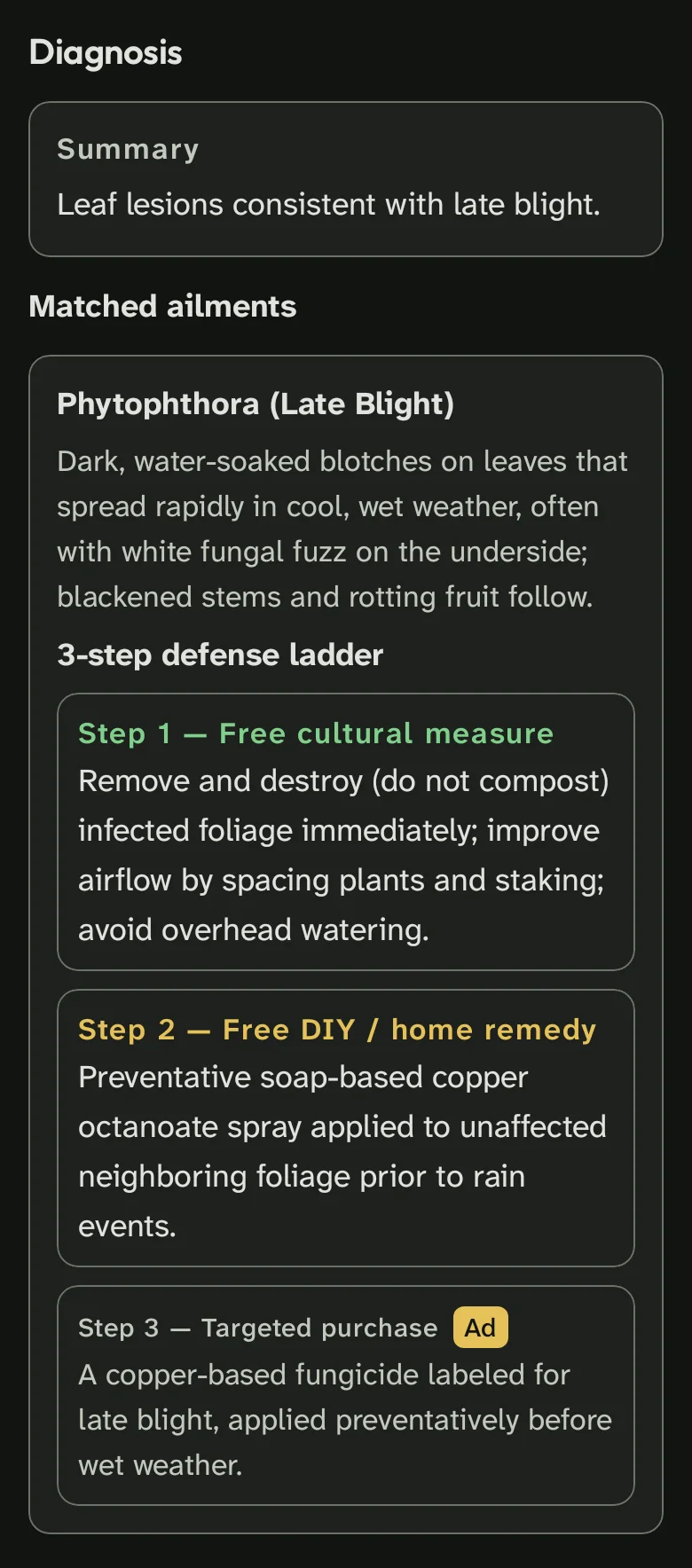
Defence ladder
11 · Cultural
22 · DIY remedy
33 · Targeted productAd
Garden planner
Plan once, harvest all season.
Lay out beds by size and sun, see which plants help or hinder each other, rotate crops across four years, and follow a sowing calendar built for your garden. Your almanac, seed library and plant history live in one place — and export it all.
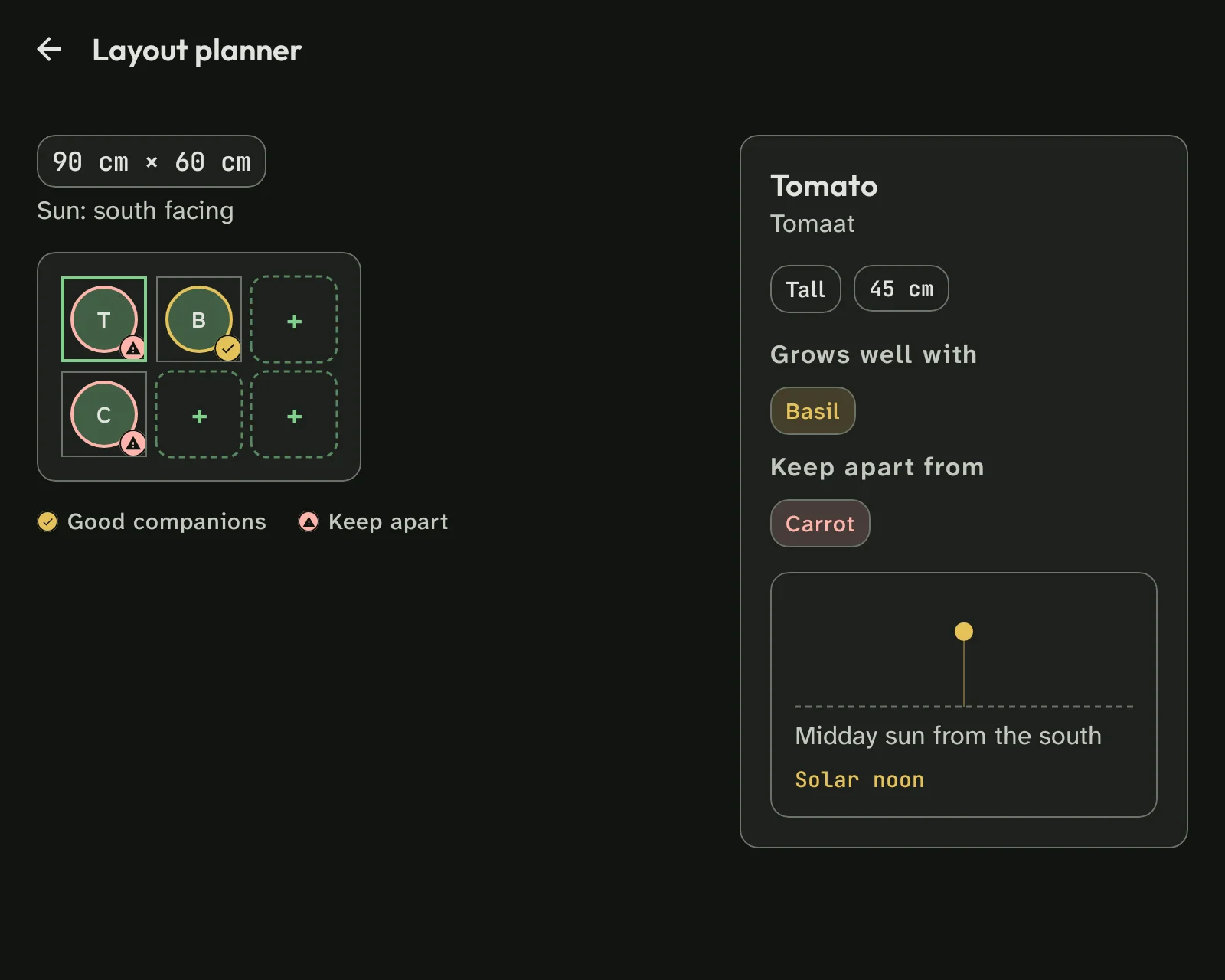
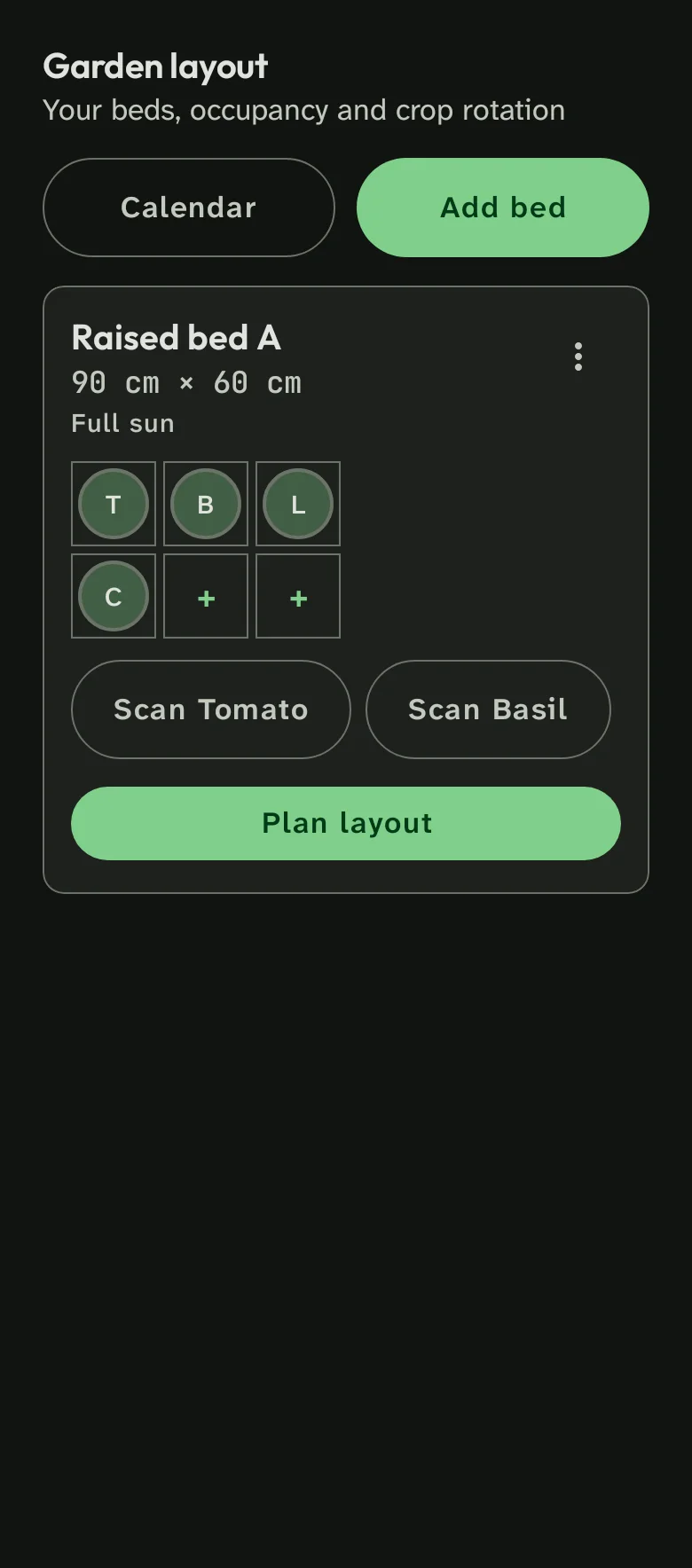
- 01Companion planting: good & bad neighbours
- 024-year crop rotation, built in
- 03Smart sowing calendar + almanac & seed library
Weather-aware care
Know when to act — and when to wait.
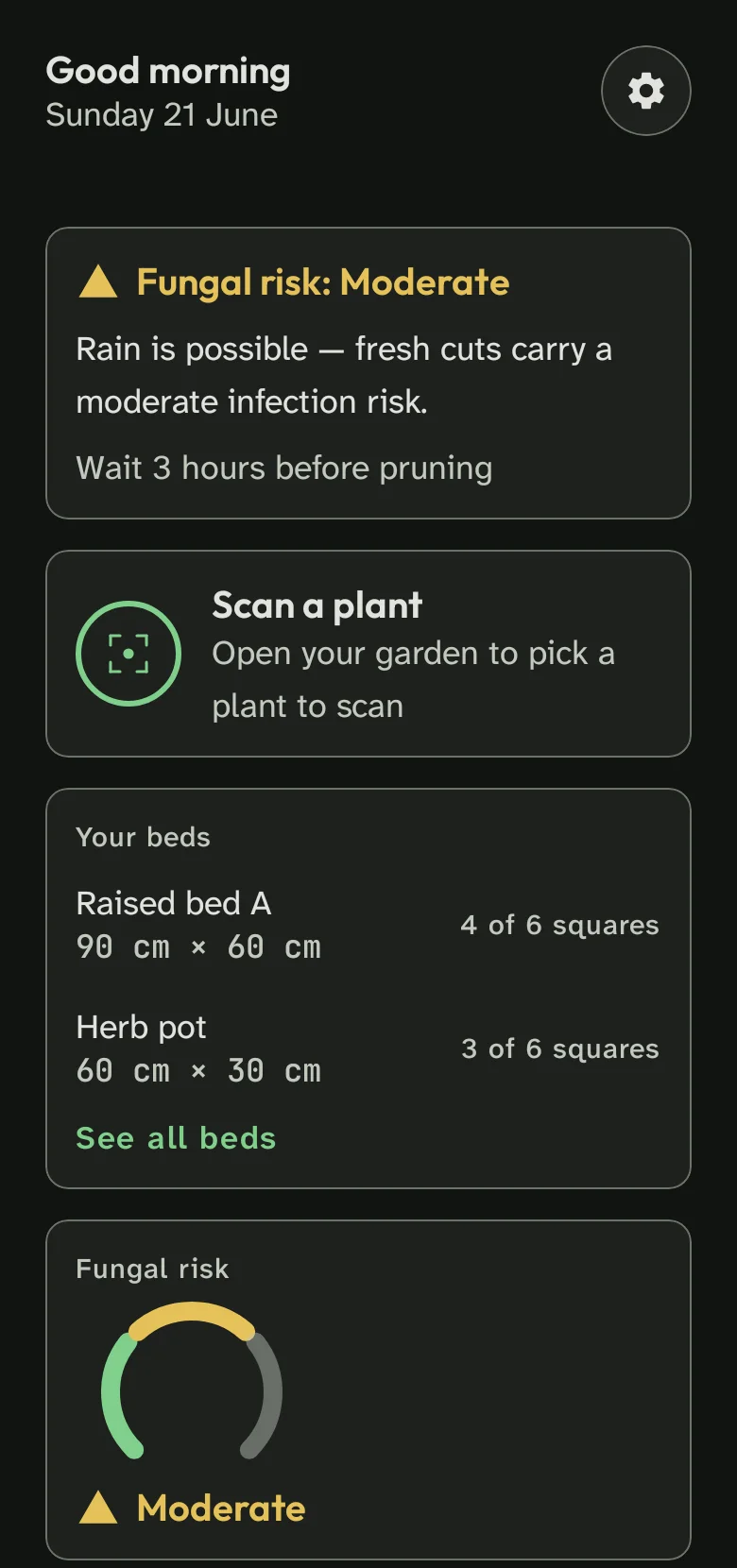
A fungal-risk warning appears when rain is imminent, and the irrigation deficit is calculated with the FAO-56 evapotranspiration model. Your call always wins — every alert can be overridden.
- Fungal-risk radar when rain is imminent
- Irrigation deficit from FAO-56 evapotranspiration
Powered by Open-Meteo. If the forecast is missing, the app says so instead of guessing.
Built to be trusted
Your garden, your data.
0Scan photos stored on our servers
100%EXIF and GPS stripped before upload
OfflineGarden, history, almanac and calendar
Works without a connection
Offline-first: your garden, history, almanac, catalogue and calendar work with no connection.
Your photos stay yours
Privacy: EXIF/GPS is stripped before upload, and our servers never store your scan photos.
Ads are labelled, never disguised
Honest ads: affiliate cards are clearly labelled “Ad”/“Advertentie”, and only after free fixes.
Our approach
Built by growers, grounded in agronomy.
MaxGrow AI is in early access, so we won't show you fake ratings or made-up user counts. Here's what we can show: real agronomy references, the FAO-56 evapotranspiration model, and a team that grows its own tomatoes.
- Every recommendation follows a defence ladder that starts free.
- Advice is explicit about what is an estimate — and what is measured.
- Your photos are used for one scan and then discarded.
Coming soon on Google Play
Launching soon · Android 8.0 and up
Pricing
Start free. Upgrade when you grow.
Free
€0to start
For your first bed and your first season.
- 20 scans per month
- 1 garden bed
- Core scan, diagnose & planner
50-scan pack
One-off50-scan top-up
Top up when you run low, keep your plan.
- 50 extra scans
- No subscription
- Billed through Google Play
Price in Google Play
Coming soon on Google PlayMaxGrow Pro
Monthlycancel anytime
For a full garden, all season long.
- 300 scans per month (fair use)
- Unlimited beds
- Full almanac + disease-alert radar
Price in Google Play
Coming soon on Google PlayPrices are set and shown by Google Play. Purchases are verified server-side. Pro's 300-scan limit is fair use; a 50-scan pack tops you up without changing your plan.
FAQ
Questions, answered.
Is there an iPhone or web version?
MaxGrow AI is a native Android app. There is no iOS or web version at launch, and we aren't announcing a date for one. We'll tell you if that changes.
Does it work offline?
Yes. Your garden, history, almanac, catalogue and calendar all work offline. New scans queue in an outbox and submit automatically when you're back online.
What happens to my photos?
Location data (EXIF/GPS) is stripped before upload, and our servers never store your scan photos. They are used to run the scan and then discarded.
How accurate is the diagnosis?
Pruning guidance uses the crop you registered plus the photo; health scans describe what the image shows. Every recommendation follows a three-step ladder that starts with free cultural fixes. You can always override or ignore a suggestion.
What's the difference between Free and Pro?
Free gives you 20 scans a month and one garden bed. Pro raises that to 300 scans a month (fair use), unlimited beds, the full almanac and the disease-alert radar.
What does “fair use” mean on Pro?
Pro allows up to 300 scans a month, with a daily cap of 20. That is more than enough for a full garden. If you need more, a 50-scan pack tops you up without changing your plan.
Are the product recommendations ads?
Any affiliate product is clearly labelled “Ad”/“Advertentie” and only appears after the free cultural or DIY fixes in the defence ladder. We never sell a product as the first answer.
Do I need to be an experienced gardener?
No. The app is built for everyone from first-time balcony growers to experienced allotment gardeners. If you can take a photo, you can use it.
When can I download MaxGrow AI?
The Android app is in pre-launch. We are preparing the Google Play listing and will share the launch date there first.
Ready when you are
Start growing smarter today.
Free to start, offline-first, and built to respect your data. MaxGrow AI is coming to Google Play — your first scan takes under a minute.
Coming soon on Google PlayLaunching soon · Android 8.0 and up